

General Tab
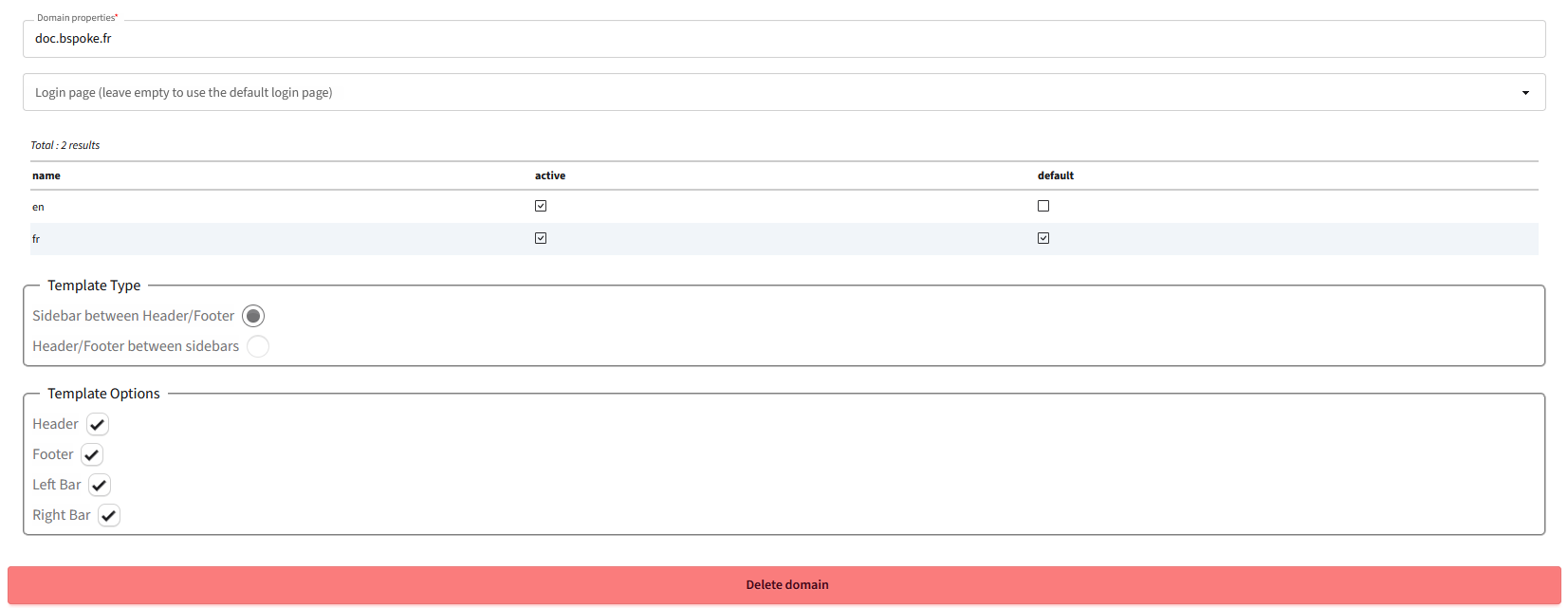
Domain configuration
The General tab is the central configuration point for your web domain. It groups the essential settings that define the identity and behavior of your application.
Main properties
| Property | Description | Example |
|---|---|---|
| Domain name | Unique identifier of the domain in BWEB | my-application |
| Domain URL | Public web address of the domain | app.mysite.com |
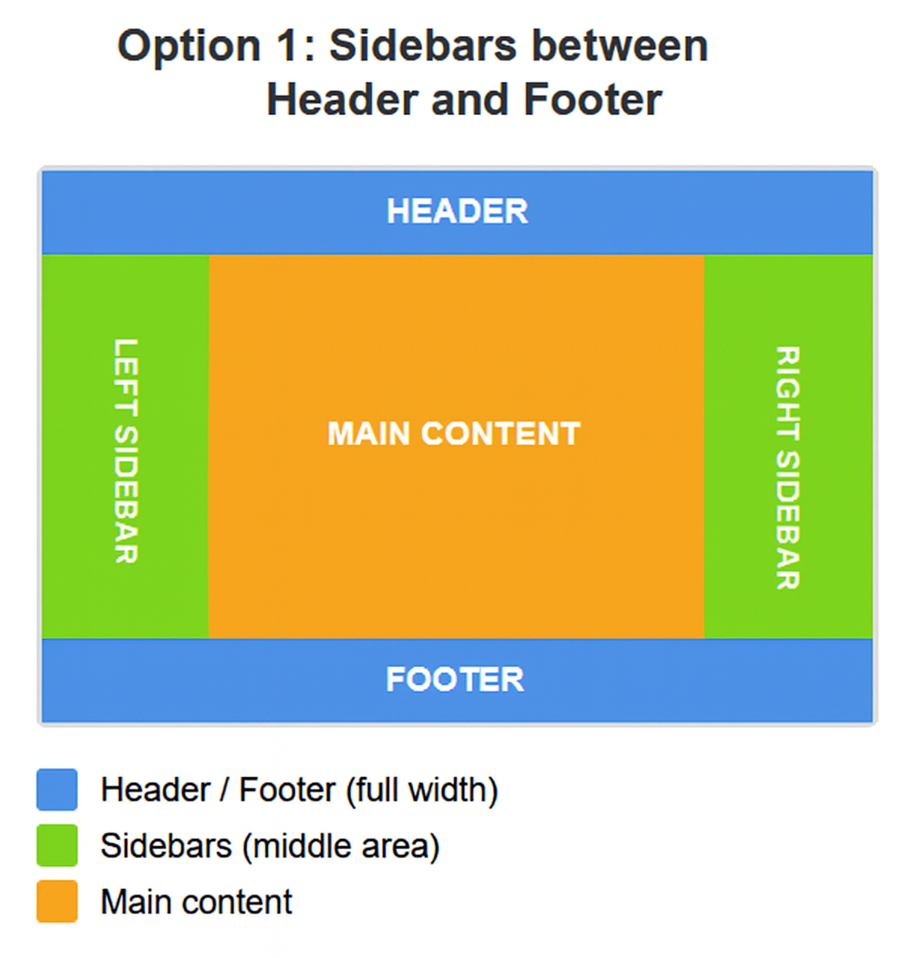
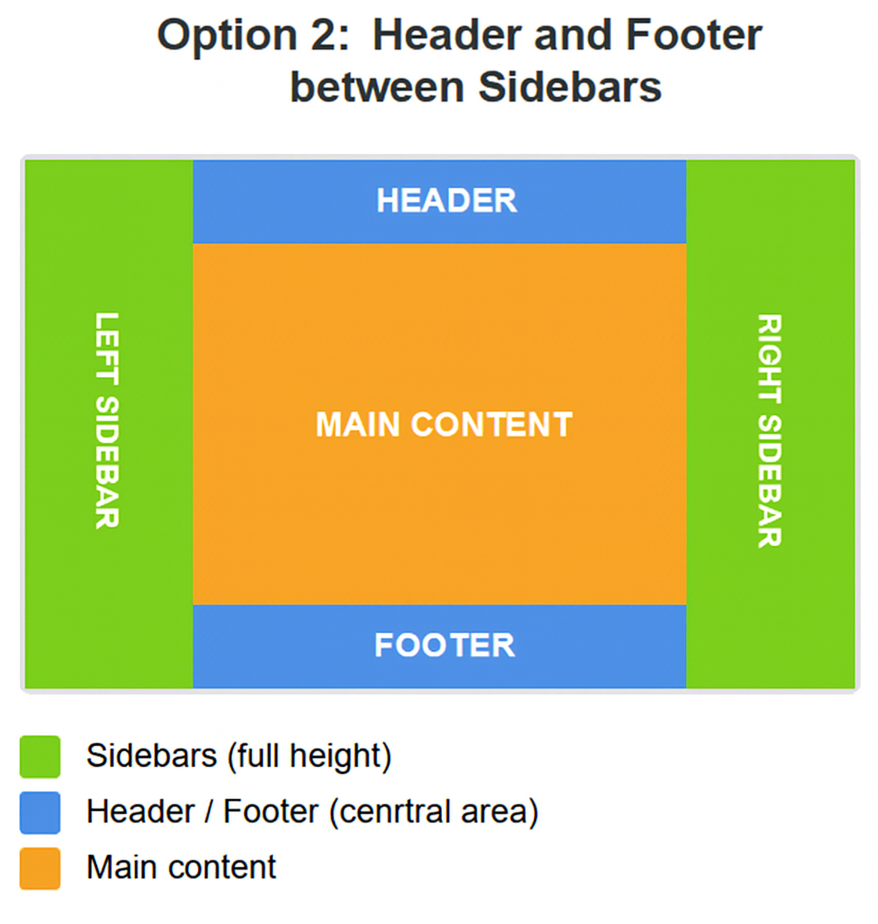
| Template | Global layout model (header, footer, sidebars) | Standard Template |
| Default language | Primary language of the domain | en |
| Home page | Page displayed at the domain root | /home |
Template and layout
The template defines the global structure of your pages:
- Header: top navigation bar, logo, main menu
- Footer: page footer with links, copyright, legal information
- Left sidebar: side menu, filters, secondary navigation
- Right sidebar: widgets, additional information
Each element can be independently enabled or disabled via the Template options.
Multi-domain management
BWEB supports multiple domains on a single 4D database. Each domain has its own configuration, pages, access rights, and template. This allows, for example, having an admin back-office and a public website on the same application.
Domain security
Configure access rights at the domain level via the userRightUuid field. Only users belonging to the associated rights group will be able to access the domain.
Template Options
Allows you to individually enable or disable each interface element:
- Header: Header bar
- Footer: Footer bar
- Left sidebar: Left sidebar
- Right sidebar: Right sidebar
Domain deletion
This button allows you to delete this domain along with all its content (this action is irreversible)